
How to take real estate photos with your iPhone
You don't need a DSLR to photograph a listing. A recent iPhone — or any good Android phone — takes listing photos that hold up on the MLS if you shoot them with a little care. These are the habits that make the biggest difference, in the order you'll use them on a walk-through.
By the Listpal team ·
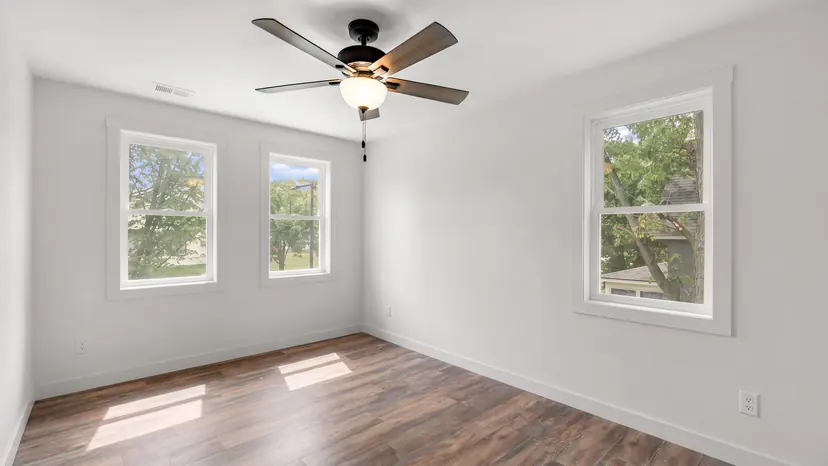
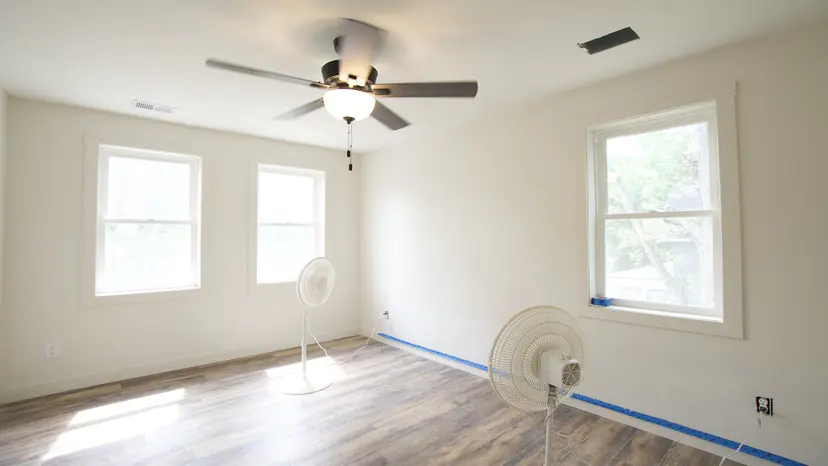
1. Prep the home first
Open every blind and curtain and turn on every light, lamps and under-cabinet lights included. Clear the counters, close the toilet lids, hide the bins, bundle the cables and put away personal items. Five minutes here does more than any edit.
2. Wipe the lens
A phone lens lives in a pocket, and one fingerprint turns every window and light fitting into haze. Wipe it with a soft cloth before the first shot.
3. Shoot horizontally
The MLS and listing sites display photos in landscape. A vertical photo gets cropped or boxed in with bars, so turn the phone sideways for every shot.
4. Hold the phone at chest height
Around chest height — roughly four to five feet off the floor — shows floor and ceiling in proportion. Much higher and you look down on the room; much lower and the furniture looms.
5. Keep it level
Straight verticals — door frames, walls, cabinet edges — are what separate a professional photo from a snapshot. Turn on the grid and the level in Settings › Camera, and keep the phone upright rather than tilting it down, which makes walls lean in. Listpal straightens what's left, but the less correction a frame needs, the less of it is cropped away.
6. Stand in a corner or a doorway
Shoot from one corner towards the opposite one to show the room's depth and at least two walls. Take a second angle from another corner or the doorway so buyers can piece the room together.
7. Use the 0.5× lens carefully
The ultra-wide lens fits a small room in one frame, but it stretches whatever is near the edges and exaggerates any tilt. Use it for bathrooms, closets and small bedrooms, use 1× for larger rooms, and keep the phone level either way. Never pinch to zoom — step closer instead.
8. Turn the flash off
Flash flattens a room and bounces off glass, mirrors and glossy cabinets. Leave it off and let the room's lights and windows do the work.
9. Don't fight the windows
Leave HDR on — it is automatic on recent iPhones — and tap to focus on the room rather than the window. If a window still blows out to white, let it: balancing a bright window against the room is a job for the edit, and it's one Listpal does automatically.
10. Hold still in dim rooms
In a dim room the phone uses a slower shutter, and any movement softens the photo. Brace your elbows against your body or a door frame, or use a small tripod.
11. Watch for your reflection
Mirrors, glass shower doors, windows and even stainless appliances will show you. Shoot mirrors at an angle — or let Listpal's AI Remove take you out of the reflection afterwards.
12. Take more frames than you need
Most listings do well with 25–35 photos: the front and back of the house, every room from two angles, and the features buyers ask about. Shoot the front with the sun behind you; if the sky is grey, Listpal replaces it.
What to fix after you shoot
Even a careful phone photo usually needs the same edits: brighter exposure, balanced windows, straightened verticals, corrected colour and, outside, a better sky. That is exactly what Listpal does. Upload the whole set and download MLS-ready photos in minutes.
Questions agents ask
Can you take professional real estate photos with an iPhone?
Yes. A recent iPhone has the resolution and dynamic range listing photos need. The difference between a snapshot and a professional photo is mostly technique — level verticals, good angles, lights on — plus editing, which Listpal automates.
Should I use the 0.5× lens for real estate photos?
For small rooms like bathrooms and closets, yes. For larger rooms, 1× usually looks more natural. Keep the phone level with either lens, because the ultra-wide exaggerates any tilt.
How many photos should a listing have?
Most listings do well with 25–35: the exterior, every room from two angles and the standout features. MLSs set their own maximum, so check yours.
What is the best time of day to take listing photos?
Interiors look best in the middle of a bright day, with every light on. For the front exterior, shoot when the sun is on the front of the house — mornings for an east-facing home, afternoons for a west-facing one.
More from Listpal
- Real estate photo editingEvery listing photo brightened, balanced and straightened in minutes.
- Virtual stagingFurnish an empty room in a modern, transitional, farmhouse or traditional style.
- Virtual declutteringClear bins, cables, dishes and boxes — or yourself in a mirror — in one press.
- Sky replacementGrey skies swapped for blue on every exterior, automatically.
Or see every feature and plans and pricing.
Snap the photos, upload them, and see what Listpal sends back.
Try any subscription free for 7 days.
Meet the founders and see Listpal in action.